


Windows 11 pro 25h2
I am trying to use Starwind V2V to image a Win11 pro system (I will be rebuilding the system it with another OS, and want the disk image as a reference/to run as a VM to migrate any data found missing).
With V2V installed on the Windows system, I select P2V, and then run into problems with the subsequent choices:
Disk Volume:
- Not suitable, skips EFI partition
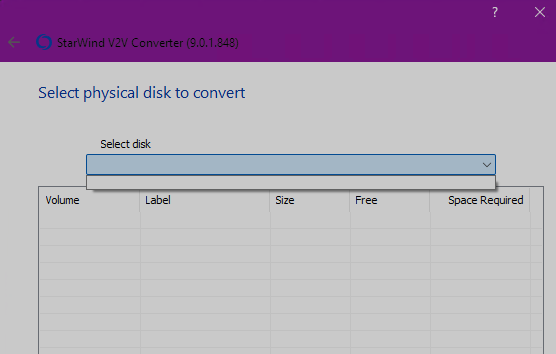
Physical Disk:
- there are no disks to select
- see attached screenshot - hopefully the URL stays active:
Entire Machine:
- seems promising, I can deselect all but the specific physical disks/volumes I want to image
- the next step won't let me select the target/destination image to be Local file, it's greyed out
- I don't have access to any other running hypervisors that are not the Windows system I am trying to image
- I assume it wants access to a hypervisor to try and recreate some settings for the VM itself above and beyond the disk image?
This seems to be a similar/the same issue as per viewtopic.php?t=7335 and viewtopic.php?t=6149
I have assumed that a P2V cloning the physical disk to a local file (on another disk) is probably the solution I was after - because I don't necessarily know what hypervisor I will be mounting the VHDX into. It looks like Entire Machine, and then using localhost and Windows Authentication for a Hyper-V server is enough to maybe have that option work, but I have concerns about it mounting itself on itself.