
The Latest Gartner® Magic Quadrant™Hyperconverged Infrastructure Software
The Latest Gartner® Magic Quadrant™Hyperconverged Infrastructure Software


Search found 23 matches
- Thu Oct 02, 2025 1:44 pm
- Forum: StarWind Virtual SAN (VSAN) [+Free], HCI Appliance (HCA), Virtual HCI Appliance (VHCA) [+Free], StarWind x Proxmox VE SAN Integration Services
- Topic: issue connecting to host
- Replies: 30
- Views: 42769
Re: issue connecting to host
Yea, not clear on how that suppose to be fixed, and can't get it running. Will just backup the vms from that one that is working and look at another solution.
- Wed Oct 01, 2025 12:12 pm
- Forum: StarWind Virtual SAN (VSAN) [+Free], HCI Appliance (HCA), Virtual HCI Appliance (VHCA) [+Free], StarWind x Proxmox VE SAN Integration Services
- Topic: issue connecting to host
- Replies: 30
- Views: 42769
Re: issue connecting to host
that link is for the createha2 ps1 script I thought I was to use the addHaPartner
- Tue Sep 30, 2025 8:45 pm
- Forum: StarWind Virtual SAN (VSAN) [+Free], HCI Appliance (HCA), Virtual HCI Appliance (VHCA) [+Free], StarWind x Proxmox VE SAN Integration Services
- Topic: issue connecting to host
- Replies: 30
- Views: 42769
Re: issue connecting to host
I tried using the following but got this error, the addr (.15) is the good node. Powershell script param($addr="10.35.15.15", $port=3261, $user="root", $password="starwind", $deviceName="HAImage1", $addr2="10.35.15.14", $port2=$port, $user2=$user, $p...
- Tue Sep 30, 2025 6:25 pm
- Forum: StarWind Virtual SAN (VSAN) [+Free], HCI Appliance (HCA), Virtual HCI Appliance (VHCA) [+Free], StarWind x Proxmox VE SAN Integration Services
- Topic: issue connecting to host
- Replies: 30
- Views: 42769
Re: issue connecting to host
Okay, I have now removed lun0 from the node 1 and guess at this point I need to run the add haparnter.ps1. In that script it has addr and addr2, what do i us for the addr, is addr node1 IP and addr2 node 2 ip, with me running this against node 2 (the current good node)? param($addr="192.168.0.1...
- Tue Sep 30, 2025 2:20 pm
- Forum: StarWind Virtual SAN (VSAN) [+Free], HCI Appliance (HCA), Virtual HCI Appliance (VHCA) [+Free], StarWind x Proxmox VE SAN Integration Services
- Topic: issue connecting to host
- Replies: 30
- Views: 42769
Re: issue connecting to host
I removed the lun0 folder from the headers directory, but I still see lun0 when looking at the web gui, should that disappear on the web gui or is there something else I need to delete? below is the ls for the headers directory only lun1 is there. root@sw-cvm-01:/opt/starwind/starwind-virtual-san/dr...
- Mon Sep 29, 2025 8:23 pm
- Forum: StarWind Virtual SAN (VSAN) [+Free], HCI Appliance (HCA), Virtual HCI Appliance (VHCA) [+Free], StarWind x Proxmox VE SAN Integration Services
- Topic: issue connecting to host
- Replies: 30
- Views: 42769
Re: issue connecting to host
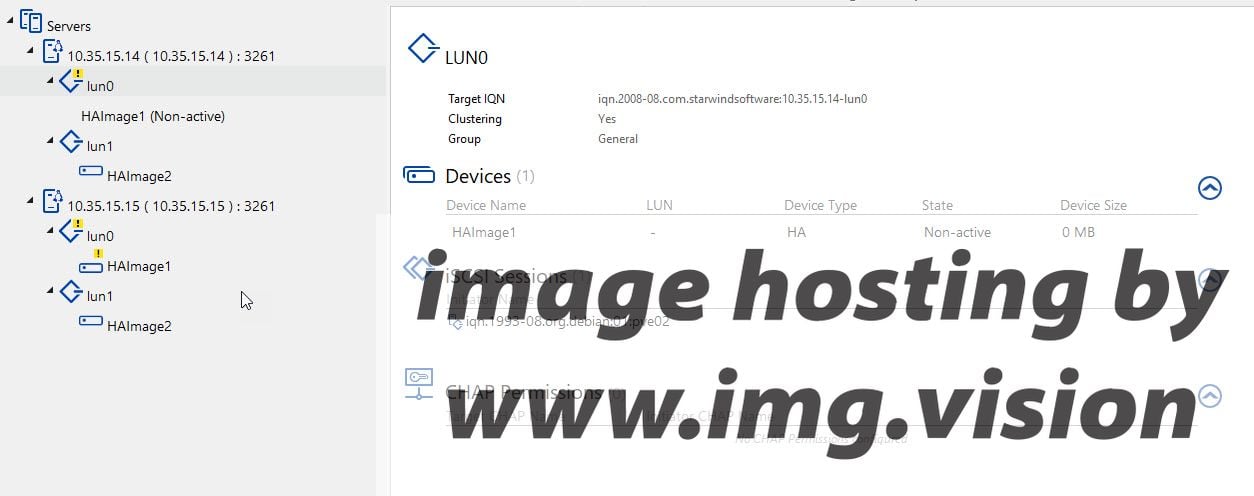
I ran the remove script on node 2 the good node, but I still see it on node1 (the node with failed disk) is it okay to run the add script even though it still shows?
- Mon Sep 29, 2025 12:56 pm
- Forum: StarWind Virtual SAN (VSAN) [+Free], HCI Appliance (HCA), Virtual HCI Appliance (VHCA) [+Free], StarWind x Proxmox VE SAN Integration Services
- Topic: issue connecting to host
- Replies: 30
- Views: 42769
Re: issue connecting to host
nothing is on that new drive it is a new one installed to replace the failed drive. For step 1. remove replica for lun0 do I run the RemoveHAPartner.ps1? Do I run that against node 1 ( the node with the new disk) or node 2 (the node with the volume that is good)? Is PartnerTarget the failed host? pa...
- Sun Sep 28, 2025 11:12 pm
- Forum: StarWind Virtual SAN (VSAN) [+Free], HCI Appliance (HCA), Virtual HCI Appliance (VHCA) [+Free], StarWind x Proxmox VE SAN Integration Services
- Topic: issue connecting to host
- Replies: 30
- Views: 42769
Re: issue connecting to host
Okay, so I have another problem. Looks like one of the disk have failed in the node1 after I got this up and running and trying to sync. So right now I have removed the disk and replaced it with another disk. After doing that I went into the web interface and it showed the disk so I selected it and ...
- Thu Sep 25, 2025 10:26 pm
- Forum: StarWind Virtual SAN (VSAN) [+Free], HCI Appliance (HCA), Virtual HCI Appliance (VHCA) [+Free], StarWind x Proxmox VE SAN Integration Services
- Topic: issue connecting to host
- Replies: 30
- Views: 42769
Re: issue connecting to host
Okay, missed that, looks like that worked.
- Wed Sep 24, 2025 3:21 pm
- Forum: StarWind Virtual SAN (VSAN) [+Free], HCI Appliance (HCA), Virtual HCI Appliance (VHCA) [+Free], StarWind x Proxmox VE SAN Integration Services
- Topic: issue connecting to host
- Replies: 30
- Views: 42769
Re: issue connecting to host
This is the script. param($addr="10.35.15.14", $port=3261, $user="root", $password="starwind", $deviceName="HAImage1") Import-Module StarWindX try { Enable-SWXLog $server = New-SWServer $addr $port $user $password $server.Connect() $device = Get-Device $server...
- Wed Sep 24, 2025 12:46 pm
- Forum: StarWind Virtual SAN (VSAN) [+Free], HCI Appliance (HCA), Virtual HCI Appliance (VHCA) [+Free], StarWind x Proxmox VE SAN Integration Services
- Topic: issue connecting to host
- Replies: 30
- Views: 42769
Re: issue connecting to host
I have followed that step, shutdown node2, uncomment the section of the script as stated, but I still get an error when running the script and the system shows not synced. Below is what that section of the script looks like if($device.SyncStatus -ne [SwHaSyncStatus]::SW_HA_SYNC_STATUS_SYNC) { Write-...
- Tue Sep 23, 2025 11:02 pm
- Forum: StarWind Virtual SAN (VSAN) [+Free], HCI Appliance (HCA), Virtual HCI Appliance (VHCA) [+Free], StarWind x Proxmox VE SAN Integration Services
- Topic: issue connecting to host
- Replies: 30
- Views: 42769
Re: issue connecting to host
I tried that against the primary first and got the below error. How can I shutdown one node and get it running so i can connect to it via my Iscsi clients, that is the main thing I am trying to do? I can always look at just killing one and then rebuilding it, but I need to get to the disk that were ...
- Tue Sep 23, 2025 2:31 pm
- Forum: StarWind Virtual SAN (VSAN) [+Free], HCI Appliance (HCA), Virtual HCI Appliance (VHCA) [+Free], StarWind x Proxmox VE SAN Integration Services
- Topic: issue connecting to host
- Replies: 30
- Views: 42769
Re: issue connecting to host
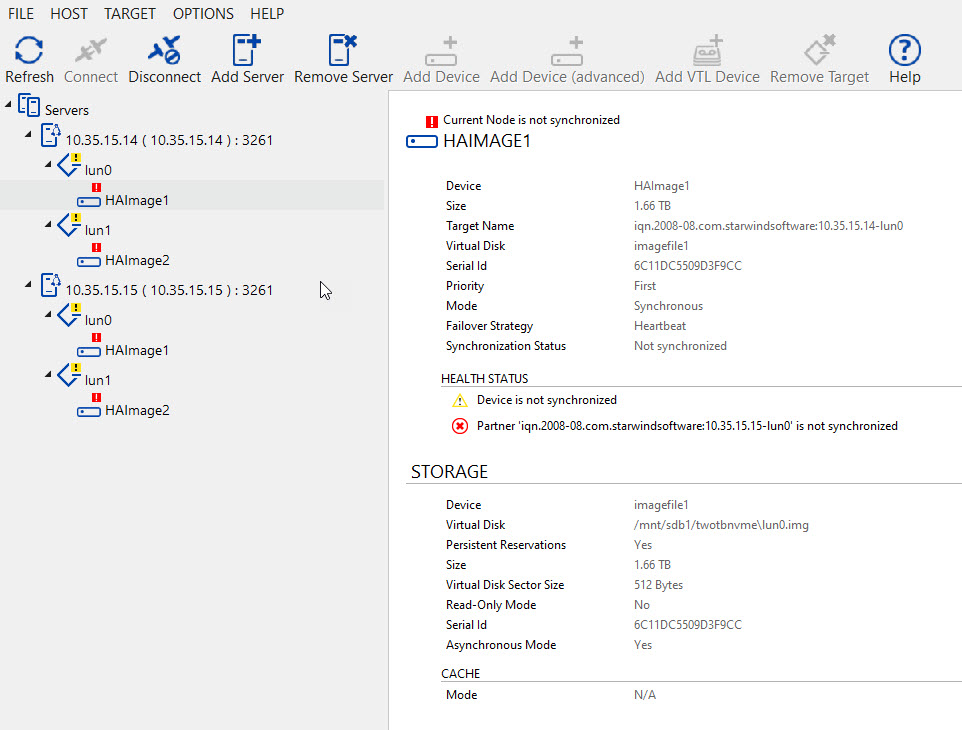
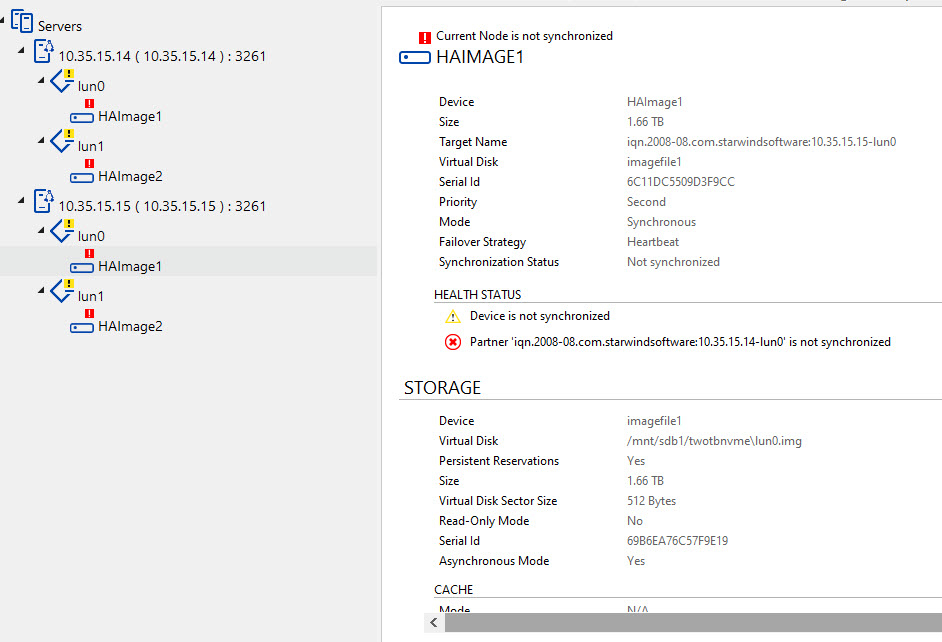
I am running the appliances and it shows this via the management console. How would I mark as synchronized, i can't do that via the web gui?
https://i.postimg.cc/zDdm7BF7/node1.jpg
https://i.postimg.cc/PrBRV8pW/node2.jpg
https://i.postimg.cc/zDdm7BF7/node1.jpg
https://i.postimg.cc/PrBRV8pW/node2.jpg
- Mon Sep 22, 2025 6:50 pm
- Forum: StarWind Virtual SAN (VSAN) [+Free], HCI Appliance (HCA), Virtual HCI Appliance (VHCA) [+Free], StarWind x Proxmox VE SAN Integration Services
- Topic: issue connecting to host
- Replies: 30
- Views: 42769
Re: issue connecting to host
would upload log file but don't see where and i noticed node2 log files is 23m versus node 1 which is 131k.
- Mon Sep 22, 2025 6:46 pm
- Forum: StarWind Virtual SAN (VSAN) [+Free], HCI Appliance (HCA), Virtual HCI Appliance (VHCA) [+Free], StarWind x Proxmox VE SAN Integration Services
- Topic: issue connecting to host
- Replies: 30
- Views: 42769
Re: issue connecting to host
If I have both nodes on, this is what the logs show. Node 1 9/22 18:32:29.736850 1ef FileBrowser: CFileBrowser::command: Return param: 'DiskSize' = 'Failed: Specified file can not be opened' 9/22 18:32:29.737200 1ef FileBrowser: CFileBrowser::command: Return param: 'DiskSize' = 'Failed: Specified fi...